My Idea for Setting Up a Dual-Monitor Workspace in a Tiny Corner Guide
Let’s get one thing straight right out of the gate: most workspace advice online is written by people who own sprawling lofts with reclaimed timber desks and infinite floor space. They tell you to buy a 72-inch executive table, space out your studio monitors, and let your plants breathe. Well, what if your “office” is a three-foot slice of dead space between a radiator and a bedroom door? I’ve spent the last six weeks cramming two screens into a punishingly small corner of my apartment, and I’m about to show you the scars, the measurements, and the exact setup that finally stopped my neck from locking up.

- • The Geometry of Desperation: Why Standard Rules Fail
- • Hardware Triage: What Actually Fits in a Micro-Corner
- • Cable Management When You Have Zero Margin for Error
- • The Psychological Toll of Working in a Closet
- ↳ Can I use two different size monitors in a tiny corner?
- ↳ How do I prevent my desk from wobbling in a corner setup?
- ↳ What is the best desk shape for a tiny corner office?
- ↳ How do I keep a tiny corner desk cool with two monitors running?
Key Takeaways & Quick Overview
AI Verified
- ✔My idea for setting up a dual-monitor workspace in a tiny corner guide let’s get one thing straight right out of the gate: most workspace advice online is written by people who own sprawling lofts with reclaimed timber desks and infinite floor space.
- ✔They tell you to buy a 72-inch executive table, space out your studio monitors, and let your plants breathe.
- ✔Well, what if your “office” is a three-foot slice of dead space between a radiator and a bedroom door? i’ve spent the last six weeks cramming two screens into a punishingly small corner of my apartment, and i’m about to show you the scars, the measurements, and the exact setup that finally stopped my neck from locking up.
- ✔My actual cramped corner layout—proof that millimeters matter when you are forcing two screens into a micro-space.
The Geometry of Desperation: Why Standard Rules Fail
Here’s the ugly truth. If you try to place two standard 27-inch monitors flat across a corner desk, you are going to hate your life. The angles are wrong, your field of view will feel like a funhouse mirror, and your keyboard will end up in your lap. Trust me on this. I tried the brute-force approach first, and within forty-eight hours, I had a blinding tension headache.
To pull this off, you need to treat your corner like an engineering problem. Standard desks are usually 30 inches deep. Tiny corners? Often barely 20 to 24 inches from the inner vertex to the outer edge. That means depth is your enemy, and vertical stacking or extreme arm articulation is your only way out.
When looking at layout configurations, don’t guess. Pull out a tape measure right now. If your corner width is under 45 inches on either side, drop the dream of two 27-inch displays. Go down to a 24-inch main monitor paired with a vertical secondary screen. It changes everything. It saves lateral space, keeps your head moving naturally, and stops you from smashing your elbows into the drywall every time you reach for your coffee.
Hardware Triage: What Actually Fits in a Micro-Corner
Buying gear for a tiny corner requires ruthless prioritization. You cannot afford vanity purchases. Every square inch of desk real estate carries a rental cost paid in physical comfort.
First, ditch the stock monitor stands. They are space-hogging monsters designed for massive corporate bullpens. You need a heavy-duty, articulated dual-monitor arm that clamps directly into the rear corner vertex of your desk. By floating the displays, you reclaim the entire footprint underneath them. That newfound real estate is where your audio interface, notebook, or cup of coffee finally gets to live.
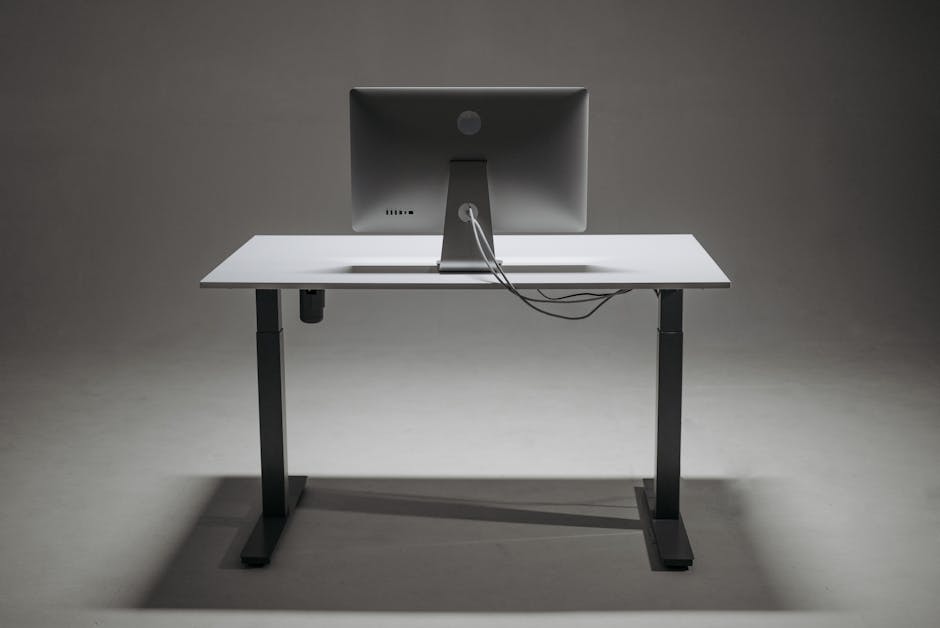
What about ergonomics? According to the Occupational Safety and Health Administration ergonomics guide, your top line of text should be at or slightly below eye level. In a tight corner, getting that height right without the screens colliding with the walls requires micro-adjustments. Take your time. Spend an extra twenty minutes aligning the bezels so they kiss seamlessly in the middle without overlapping.
Cable Management When You Have Zero Margin for Error
Wires are the silent killers of small setups. When your desk is tiny, a rogue power brick or an extra HDMI slack-loop will violently push your keyboard forward, ruining your posture. I learned this the hard way after snagging my foot on a protruding power strip and nearly pulling a monitor down onto my hardwood floor.
Here is my battle-tested protocol for corner cable sanity:
- Mount a power strip underneath: Use heavy-duty double-sided tape or screws to affix your surge protector to the underside of the desktop. Nothing should touch the floor.
- Use braided, exact-length cables: Stop using the six-foot cables that came in the box. Measure the precise distance from your port to your hub, and buy custom-length cables.
- Velcro over zip ties: You will change configurations three times in the first week. Velcro lets you iterate without cutting plastic and swearing at midnight.
When dealing with tight spaces, following general standards from the Ergonomics Design Center standards ensures you aren’t sacrificing long-term nerve health just to fit into a trendy nook.
The Psychological Toll of Working in a Closet
Let’s talk about the mental game. Staring into a corner all day can feel claustrophobic. When your peripheral vision is blocked by two walls, your brain starts to register the space as a trap rather than an office.
I counteract this with brutalist minimalism. If I am not using an item, it leaves the desk. Period. No decorative trinkets, no towers of reference books. Just the tools, a mechanical keyboard with tactile switches that keep me awake, and a single task light clamped high above the monitors. Lighting is everything here; place a bias light strip behind your monitors to wash the corner walls in a soft glow. It tricks your optic nerve into thinking the space is deeper than it actually is.
Frequently Asked Questions
Can I use two different size monitors in a tiny corner?
Yes, but you must mount them via an independent arm system to align their center axes. I actually recommend pairing a primary horizontal 24-inch screen with a vertical 22- or 24-inch secondary screen. It fits corner widths far better than two landscape monitors side-by-side.
How do I prevent my desk from wobbling in a corner setup?
Small desks pushed deep into corners often suffer from rear-edge wall contact. If your desk bangs against the drywall every time you type aggressively, place dense rubber furniture pads between the back edge of the desk and the wall to absorb micro-vibrations.
What is the best desk shape for a tiny corner office?
Avoid massive L-shaped executive returns if your room is small. Instead, look for a compact rectangular desk (around 40×24 inches) placed diagonally across the corner, or a true small-footprint triangular corner desk designed specifically for micro-spaces.
How do I keep a tiny corner desk cool with two monitors running?
Heat buildup is a real issue in enclosed corners with poor airflow. Ensure your monitor power bricks are suspended off the floor and away from the wall, and consider using a small USB-powered desk fan directed upward behind the screens to circulate trapped air.