How I Organized My Tech Chargers So I Never Lose Them Again Guide
Picture this. It’s 11:45 PM. Your phone battery is flashing a cruel, blinking 2%. You stumble through the dark toward the kitchen, your hand sweeping across the counter like a metal detector over sand. Nothing. You check the living room couch cushions—the universal graveyard of missing electronics. Still nothing. By midnight, you’re standing in your underwear, ripping apart a junk drawer that contains three dead flip-phone chargers, a stray HDMI cable from 2012, and a half-eaten tube of mints. Here’s the ugly truth: we spend hundreds, sometimes thousands of dollars on high-end hardware, yet we treat the literal lifelines of those devices like loose change at the bottom of a backpack. I’ve been there. I got tired of it. So, I spent a weekend tearing down, auditing, and completely rebuilding my entire charging ecosystem. Let’s dive into how I finally solved the eternal mystery of the disappearing cable.
- • The Autopsy: Why Your Charging Cables Keep Vanishing
- • The 80/20 Rule of Cable Auditing
- • The Fixed-Station Strategy That Changed Everything
- • Labeling and the "One-In, One-Out" Law
- ↳ What is the best way to coil cables without damaging them?
- ↳ Should I keep cheap gas-station charging cables as backups?
- ↳ How do I stop cables from sliding off my desk when unplugged?
- ↳ How many charging cables does a normal person actually need?
Key Takeaways & Quick Overview
AI Verified
- ✔How i organized my tech chargers so i never lose them again guide picture this.
- ✔Your phone battery is flashing a cruel, blinking 2%.
- ✔You stumble through the dark toward the kitchen, your hand sweeping across the counter like a metal detector over sand.
- ✔You check the living room couch cushions—the universal graveyard of missing electronics.
The Autopsy: Why Your Charging Cables Keep Vanishing
You don’t have a storage problem. You have a behavioral problem. I’ve noticed that most people buy cute little cable ties, throw them into a plastic bin, and expect the chaos to magically correct itself. It doesn’t. Entropy wins every single time. To fix this, you first have to understand where your gear actually goes. Chargers migrate. They migrate because they lack a permanent home, and because we use the “grab and go” method without any friction to make us put them back.
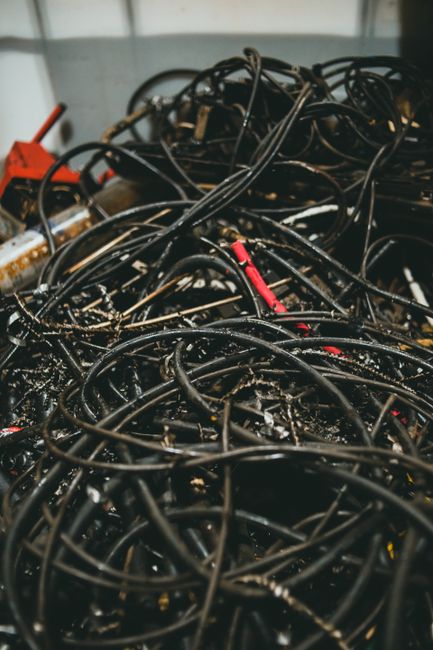
I started my purge by gathering every single cable, brick, and adapter from every room in my house. I dumped them on the dining room table. The total count was staggering: forty-two cables. For context, I live alone. I had enough USB-C cords to string a tightrope across my living room. Over half of them were slow, fraying gas-station specials that I wouldn’t trust with a pocket calculator, let alone an expensive smartphone.
According to consumer technology testing benchmarks like those from Wirecutter, using uncertified or degraded cables doesn’t just slow down your charging speed—it can actually introduce power spikes that degrade lithium-ion batteries over time. That pile of junk wasn’t just annoying; it was a silent hardware killer.
The 80/20 Rule of Cable Auditing
Here is where the magic happens. You don’t need forty-two cables. You need a fraction of that. I instituted a strict triage system:
- The Daily Drivers: One for your primary phone, one for your laptop, one for your wireless earbuds. That’s it. These stay tethered to their designated zones.
- The Travel Reserves: Exactly one multi-device pouch that lives permanently zipped inside your work bag. Never unpack it.
- The Emergency Stash: One backup cable per connector type (USB-C, Lightning, Micro-USB) kept in a single, labeled shoe box in the closet.
Everything else? I recycled it. If a cable didn’t support fast charging or data transfer, it went straight to the electronic waste facility. Trust me on this: the psychological relief of looking at a minimalist drawer is worth far more than the hypothetical utility of keeping a frayed micro-USB cord from 2015.

The Fixed-Station Strategy That Changed Everything
Once the clutter was gone, I had to stop the bleeding. Cords get lost because moving them requires effort. If you have to unplug your bedside charger to use it at your desk, you are inviting chaos into your life. You will forget to bring it back. Within forty-eight hours, it will be wedged between the cushions of the armchair.
The solution? Frictionless permanence. I bought dedicated, high-wattage GaN chargers and permanently mounted them in three specific zones:
- The Bedside Table (with a weighted cable dock so the head never slips behind the furniture).
- The Work Desk (routed cleanly through grommets using silicone cable clips).
- The Command Center / Kitchen Counter (a multi-port charging station where gear actually lives when not in use).
Engineering journals such as IEEE Spectrum frequently highlight how modern Gallium Nitride (GaN) chargers have transformed power delivery, allowing us to pack massive wattage into tiny bricks that don’t overheat. By leveraging these modern bricks, I reduced a tangled mess of four separate plugs into a single, compact unit per station.
Labeling and the “One-In, One-Out” Law
Even with stations, cables look identical. A black USB-C cable looks like every other black USB-C cable on planet Earth. To solve this, I got ruthless with labeling. Using a simple thermal label maker, I slapped tiny tags near the connector ends indicating wattage or destination (e.g., “LAPTOP 100W” or “BEDSIDE”). No guesswork. No plugging a 5W slow-charger into a power-hungry laptop and wondering why it’s losing battery while plugged in.
Finally, I adopted the One-In, One-Out Law. If I buy a new gadget that comes with a proprietary cable, an old, redundant cable must leave the ecosystem. No exceptions. This keeps the inventory strictly capped.
Frequently Asked Questions
What is the best way to coil cables without damaging them?
Use the over-under coiling method (roadie wrap) instead of wrapping them tightly around your hand or elbow. This prevents internal copper wire fatigue and stops the cable from twisting into annoying knots every time you pull it out.
Should I keep cheap gas-station charging cables as backups?
No. Cheap cables often lack proper resistors, premium shielding, and adequate copper gauge. They pose a genuine risk to your device’s charging IC (integrated circuit) and can become a fire hazard. Stick to reputable brands with MFi certification or USB-IF compliance.
How do I stop cables from sliding off my desk when unplugged?
Invest in weighted silicone desktop cable drops or simple adhesive under-desk clips. If a cable has gravity working against it, it will inevitably fall to the floor where pets, dust, and foot traffic can abuse it.
How many charging cables does a normal person actually need?
For most people, owning four to five active cables total—one for your bedside, one for your main workspace, one in your travel bag, and one backup—is more than enough to maintain total control over your tech ecosystem.